JotMe alternative
SonicMeet vs JotMe
JotMe is the better pick if you want the translation spoken aloud, shared with the other side, or used on your phone. SonicMeet is built for reading a meeting live: bilingual captions over any call, with 15 hours of translation for $20 a month instead of 200 minutes.
SonicMeet runs on desktop — open this page on your computer to install.
Prefer a desktop app? Get SonicMeet for Windows →Joining from a browser instead? Get the extension →Also available as a desktop app for Windows and Mac →- No bot joins your call
- 20 minutes free, one-time
- Plans up to 90 hours a month
We make SonicMeet, one of the two products on this page. JotMe facts come from JotMe’s own pages and were last checked on October 6, 2026. See the sources
The short answer
Choose SonicMeet if…
- You translate more than a few hours of meetings a month. $20 buys 15 hours of live translation on SonicMeet and 200 minutes on JotMe.
- You need a lot of hours. SonicMeet plans go up to 90 hours a month; JotMe’s individual plans stop at 500 minutes.
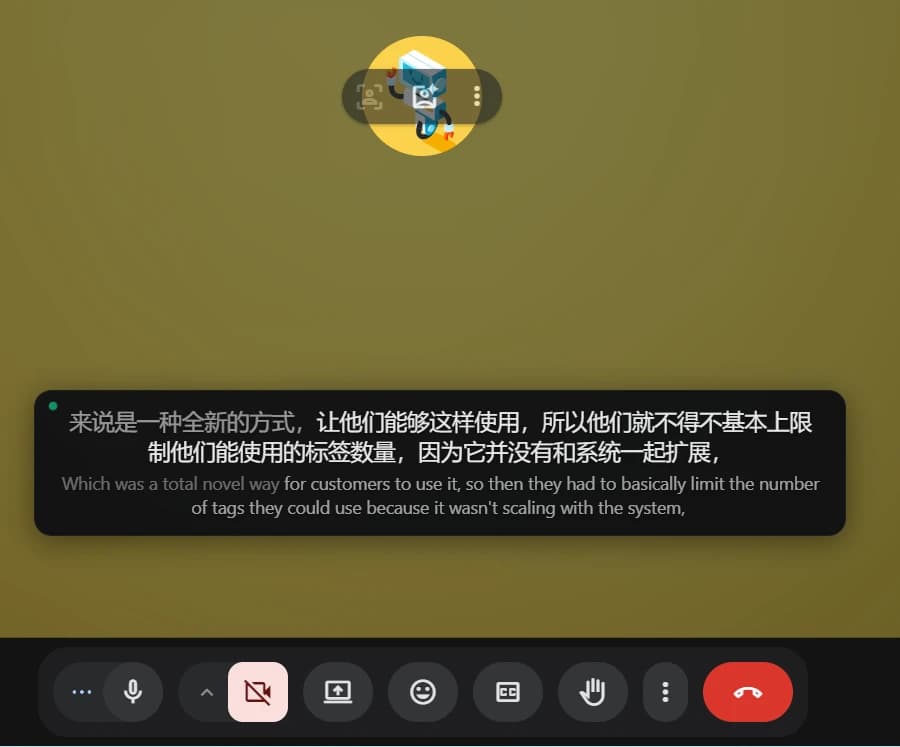
- You want to read the call as it happens: the translation large, the original under each line, floating over the meeting.
Stay with JotMe if…
- You want the translation spoken aloud, or shared with others by link, QR code or on-camera subtitles.
- You translate in person, on your phone.
- You need less than 20 minutes a month: JotMe’s free plan renews every month, SonicMeet’s 20 minutes are one-time.
SonicMeet vs JotMe at a glance
Rows where JotMe does more stay in the table, in grey on our side. Prices are per month on monthly billing.
| Feature | SonicMeet | JotMe |
|---|---|---|
| How it listens | SonicMeetPicks up the meeting audio from your browser tab or computer. No bot joins. | JotMeIts desktop app captures the audio on your computer. No bot joins either. source |
| Where it works | SonicMeetChrome and Edge extension for meetings in the browser, plus Windows and Mac apps for the Zoom and Teams desktop clients | JotMeDesktop app for Mac and Windows, a Chrome extension and a mobile app source |
| $20 a month buys | SonicMeet15 hours of live translation (Pro) | JotMe200 minutes of live translation or real-time summary (Pro) source |
| Largest individual plan | SonicMeet90 hours a month for $79 (Ultra) | JotMe500 minutes a month for $30 (Premium); team plans from $60 source |
| Free | SonicMeet20 minutes once, at sign-up, plus 3 AI credits | JotMe20 minutes every month, plus 50 minutes of transcription and 5 AI credits source |
| Languages | SonicMeet60+ | JotMe200+ translation targets; 13 in its fast mode source |
| How you see it | SonicMeetCaptions floating over the meeting: the translation large, the original underneath, line by line | JotMeLive translated captions in JotMe source |
| Speaks the translation | SonicMeetNo. Captions only | JotMeYes, voice-to-voice translation source |
| Share the live translation | SonicMeetNo. Captions show only on the computer running SonicMeet | JotMeYes, by link, QR code or on-camera subtitles source |
| After the call | SonicMeetAI summary, Ask AI and a shareable recap (uses AI credits) | JotMeTranscript, notes, summary, action items and Ask JotMe, its core strength source |
| On a phone | SonicMeetNo app. A 2-minute trial runs in the phone’s browser | JotMeMobile app source |
Sources: JotMe pricing · jotme.io (features and FAQ) · JotMe: Zoom AI Companion vs JotMe · Last checked October 6, 2026 · Something out of date? Tell us
What a month of meetings costs
Pick how many hours you translate. Each side shows its cheapest individual plan that covers it.
SonicMeet Pro
$20/ month
15 hours of live translation a month
JotMe Premium
$30/ month
500 minutes of live translation a month
SonicMeet is $10 a month cheaper at 8 hours.
JotMe’s minutes cover live translation or real-time summary. Yearly billing takes about 17% off SonicMeet and 50% off JotMe. Team plans aren’t included here; JotMe’s start at $60 a month. Last checked October 6, 2026.
When JotMe is the better choice
When the other side needs it too. JotMe can speak the translation aloud and share a live translation by link, QR code or on-camera subtitles, so people without the app can follow. SonicMeet shows captions only on the computer running it; anyone else who wants captions installs it.
When you translate on the go. JotMe has a mobile app for in-person conversations. SonicMeet runs on a computer: an extension for Chrome and Edge, or the Windows and Mac app.
When a few free minutes a month are enough. JotMe’s 20 free minutes renew every month; SonicMeet gives 20 minutes once, at sign-up. And if your language is rare, check both lists: JotMe lists 200+ translation targets, SonicMeet supports 60+ languages.
Judge the captions yourself
This is the engine behind SonicMeet’s Instant mode, running in your browser. Two minutes, no install, no sign-in. Speak, or play a clip near your microphone.
Audio is processed live by SonicMeet and our speech provider. We don’t keep a recording.
Moving over from JotMe
- 1
Install SonicMeet
Add the extension to Chrome or Edge, or get the Windows or Mac app if you meet in the Zoom or Teams desktop app.
- 2
Pick your languages
Choose the language people speak, or Auto Detect, and the language you want to read.
- 3
Start it in the meeting
Captions float over the call. When it ends, the summary and Ask AI are waiting.
What you give up: spoken translation, a live link for others, and a phone app.
SonicMeet vs JotMe: common questions
Is SonicMeet better than JotMe?
For reading a meeting live and for translating more than a few hours a month, yes. For spoken translation, sharing a live translation with others, or translating on your phone, JotMe fits better.
Is SonicMeet cheaper than JotMe?
Per hour, usually. On monthly billing, $20 buys 15 hours on SonicMeet and 200 minutes on JotMe. On yearly billing JotMe Premium costs $15 a month for 500 minutes, which is cheaper than SonicMeet if you need more than 5 and up to 8 hours a month.
Does SonicMeet join my meeting as a bot?
No. It picks up the meeting audio from your browser tab or computer, so nobody new appears in the participant list. The audio goes to SonicMeet and its speech provider to make the captions; we don't keep an audio recording.
Does SonicMeet work with the Zoom and Teams desktop apps?
Yes, with the SonicMeet app for Windows 10/11 or macOS 14.2 or later. In the browser, the extension covers Google Meet, Zoom, Teams and other meeting tabs.
Can SonicMeet speak the translation aloud?
No. It shows captions: the translation, with the original under each line.
Is there a free plan?
You get 20 minutes free once, plus 3 AI credits, after you sign in with Google. They don't renew each month.
Who should use JotMe instead of SonicMeet?
People who need the translation spoken or shared with the other side, people who translate mostly on their phone, and people who only need a few minutes a month.
Read your next meeting in your language
20 minutes free, one-time. Sign in with Google and start in your next call.