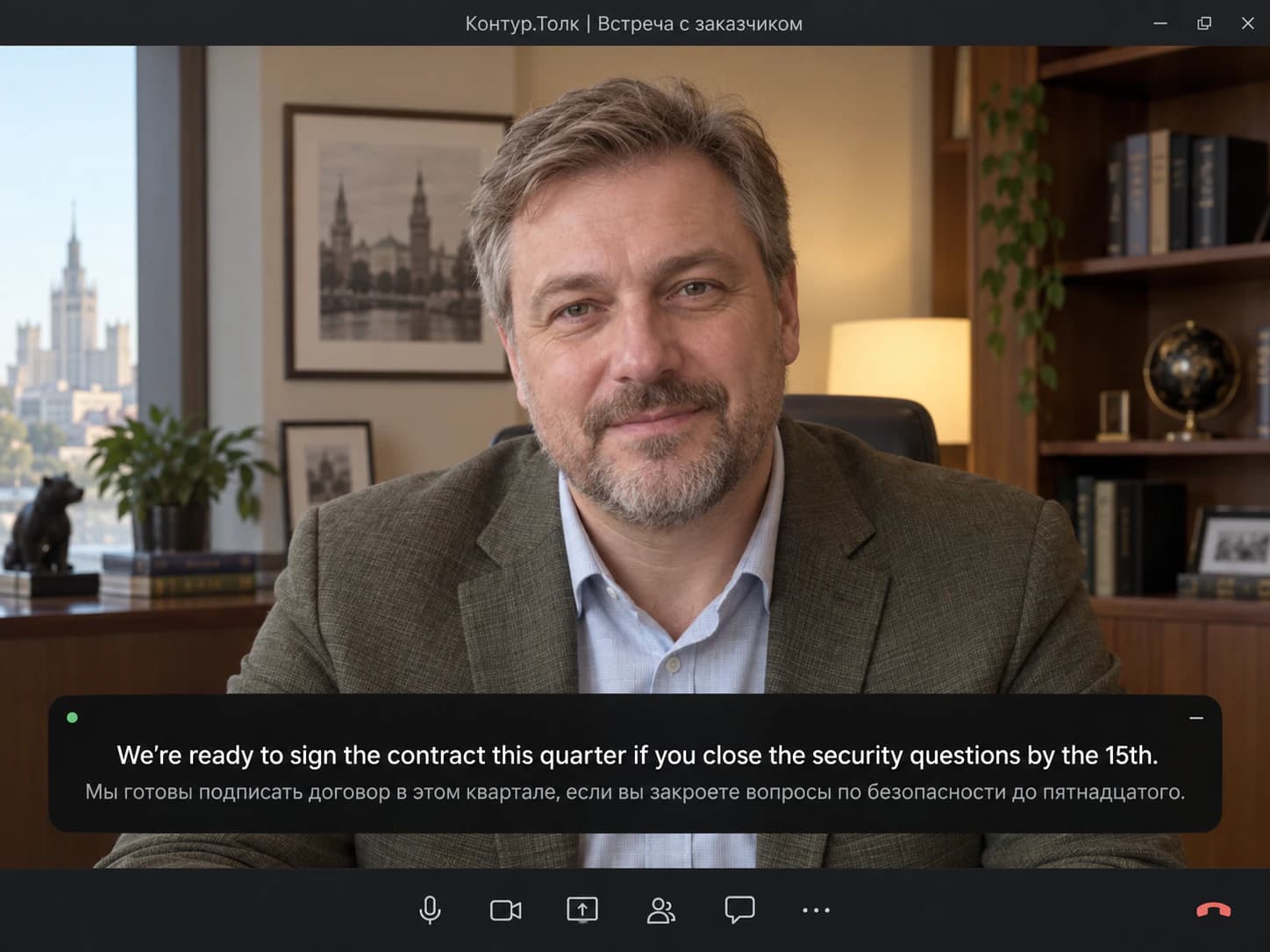
Invited to a Russian company's Kontur.Talk
Their space, their tariff, their language. Read it in yours, and keep your own notes.
Kontur.Talk (Толк, the ktalk.ru service) has no captions of its own, and its interpretation means hiring a person. SonicMeet shows bilingual, real-time captions on your side of any Kontur.Talk meeting, in the browser or in the app.
Free · Chrome & Edge · No download, no bot in your meeting
Free · macOS 14.2 or later · Apple Silicon & Intel
Free · Chrome & Edge · No download, no bot in your meeting
SonicMeet runs on desktop — open this page on your computer to install.
Prefer a desktop app? Get SonicMeet for Windows →Joining from a browser instead? Get the extension →Also available as a Windows desktop app →Before we go through the tasks, confirm that the release stays on Thursday.
Прежде чем перейти к задачам, подтвердите, что релиз остаётся на четверг.
Yes, but the contractor still hasn't sent the signed security report.▍
Да, но подрядчик до сих пор не прислал подписанный отчёт по безопасности.
Показываю экран с пересмотренным бюджетом на второй квартал.
I'm sharing my screen with the revised budget for Q2.
Если утвердите сегодня, интеграцию начнём на следующей неделе.▍
If you approve today, we can start the integration next week.
Russian, English, Turkish, Chinese, German, Arabic and 50+ other languages, either direction, live.
Four everyday situations, each with the language pair it usually needs.
Their space, their tariff, their language. Read it in yours, and keep your own notes.
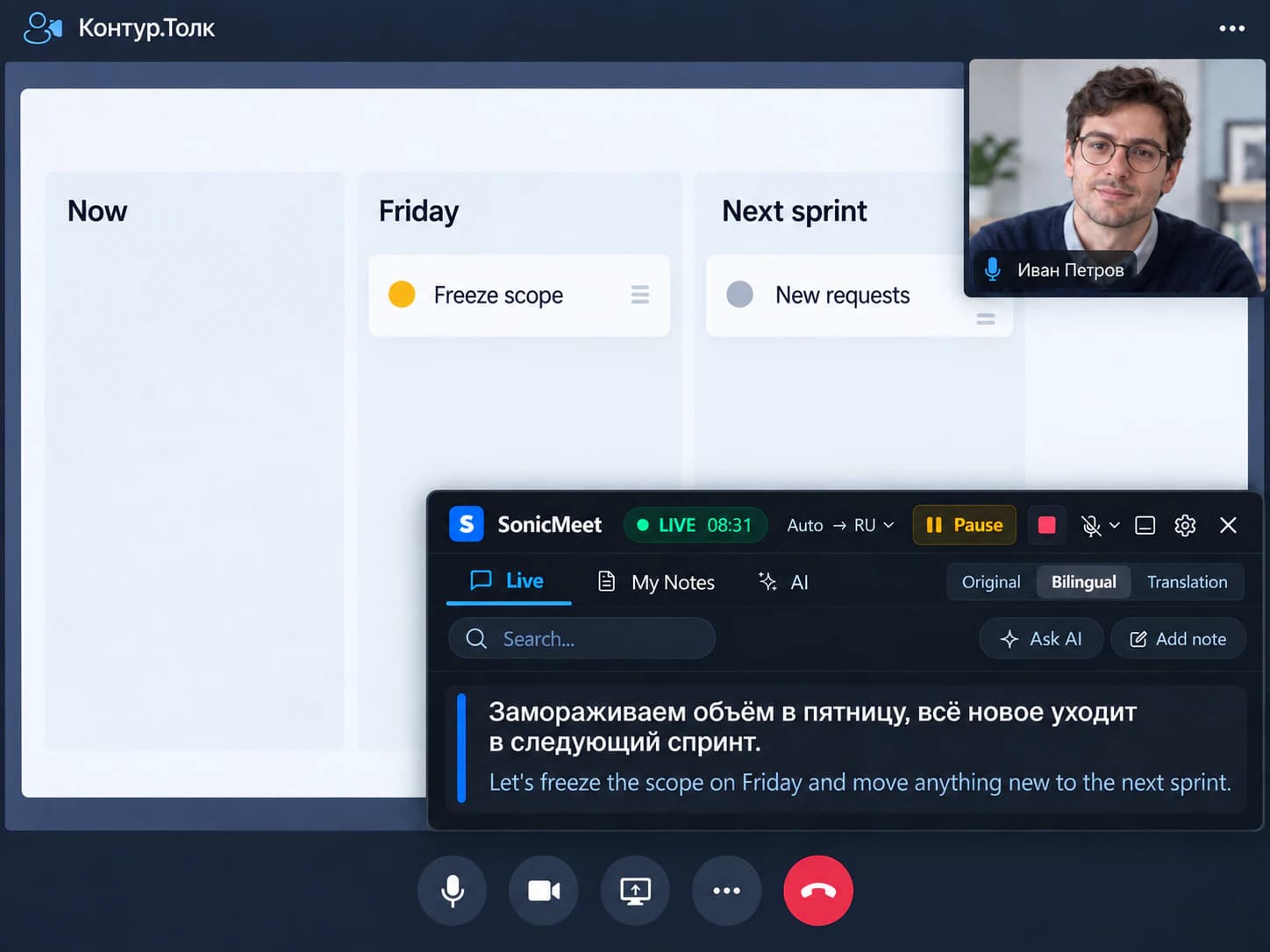
Kontur.Talk's transcript would not even understand this meeting. Everyone reads it in their own language.
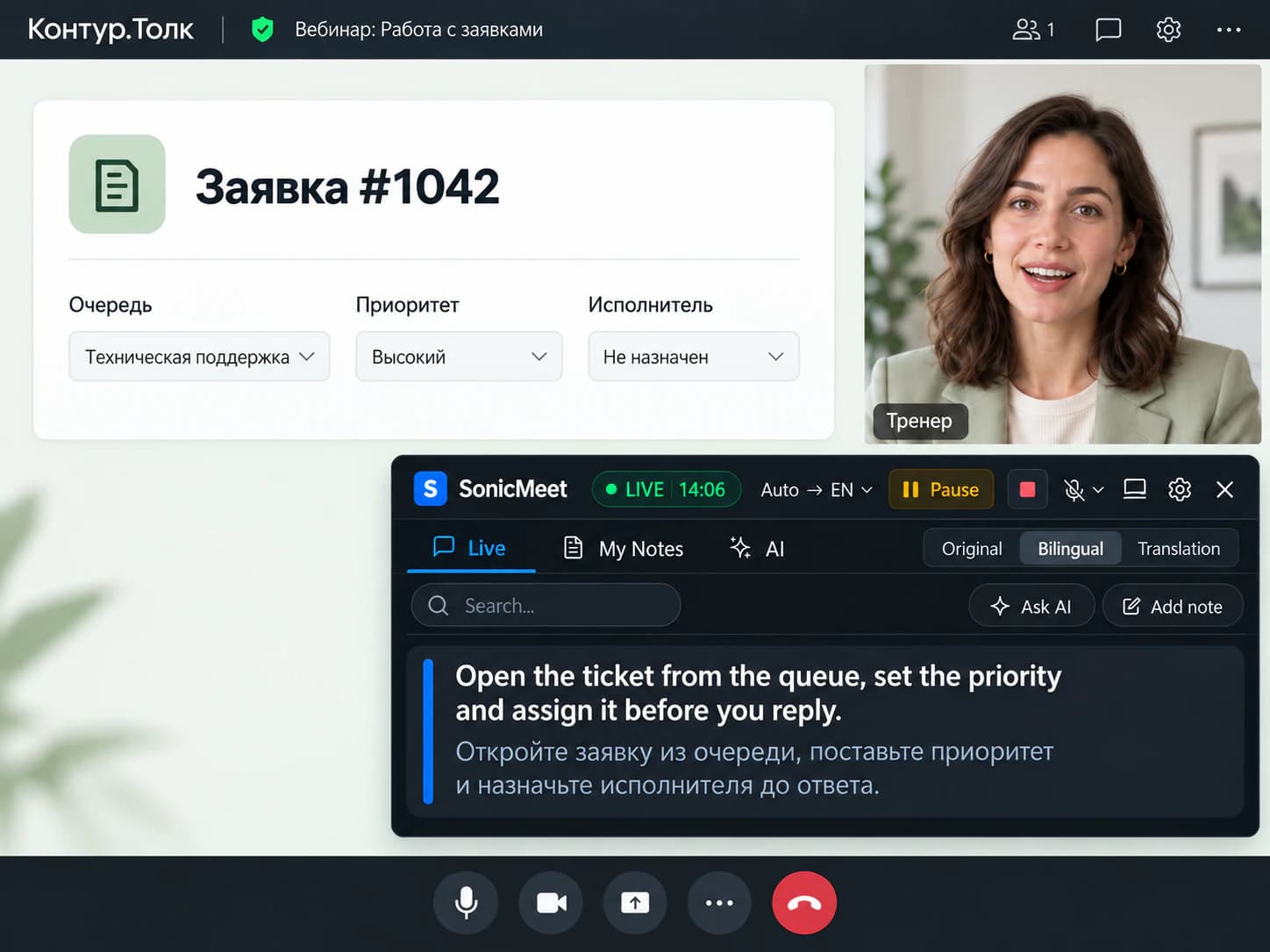
The trainer is on autopilot. Follow live, tap to save the steps.
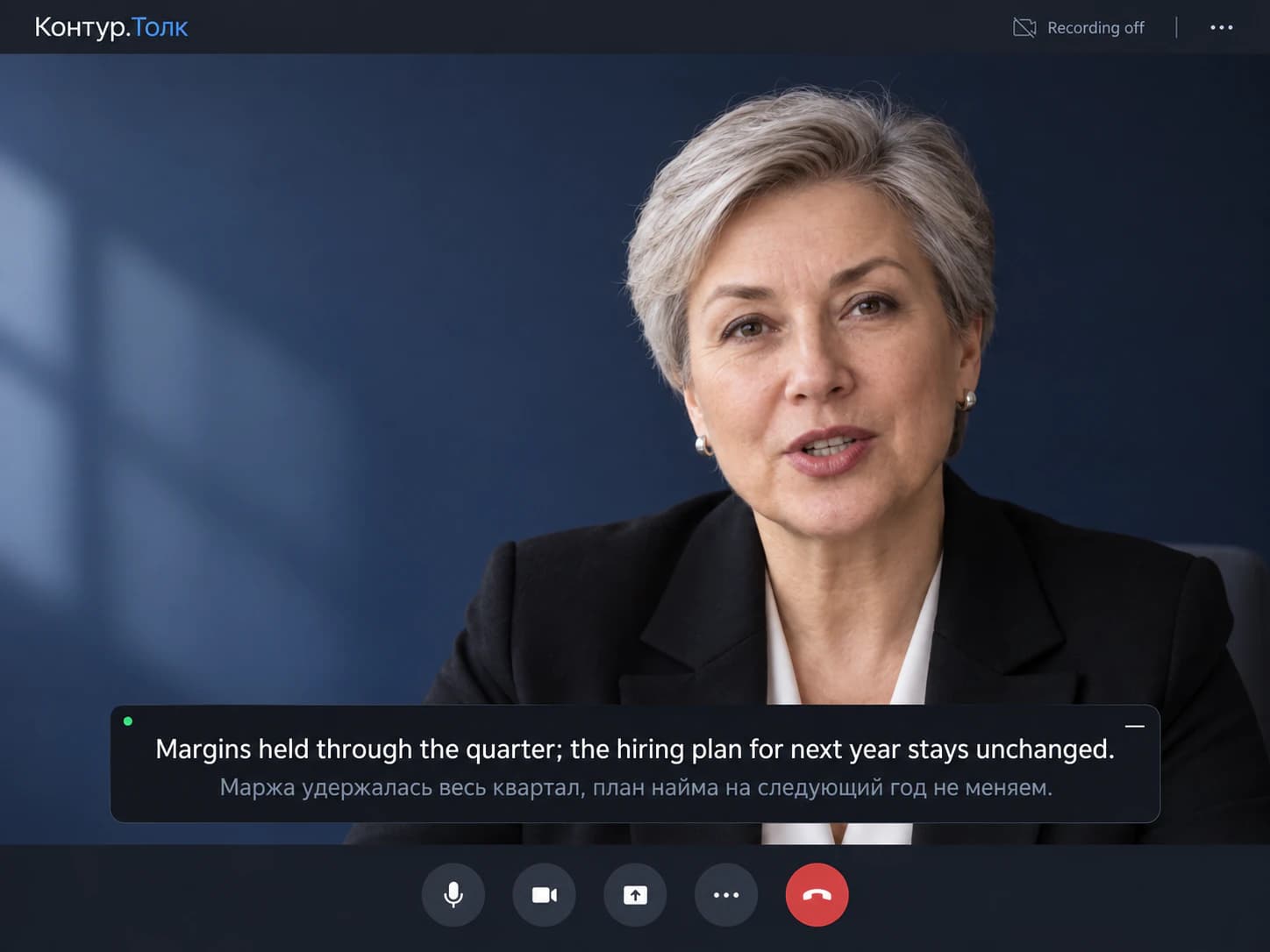
A Kontur.Talk transcript needs a cloud recording and a paid tariff. Yours builds on your side either way.
No captions on any tariff. A transcript after the meeting, in Russian only. Interpretation means a person.
| In your Kontur.Talk meeting | Kontur.Talk built in | SonicMeet |
|---|---|---|
| Captions during the meeting | No | Yes, on your side, 60+ spoken languages |
| Translated captions | No | Included, any of 60+ languages |
| Translation and original together | No | Bilingual, original under each line |
| Translation as spoken audio | A human interpreter the organizer assigns per language pair, on Business Plus and above | Not yet — text, not voice |
| Transcript | After the meeting, from a cloud recording, on paid tariffs; Russian speech only | During the meeting, on your side, any of 60+ languages |
| Meeting held in English or another language | No transcript; foreign-language transcription is still in development | Captions and translation as usual |
| AI summary shared with every participant | Yes, from the cloud recording, on paid tariffs | No, your transcript stays with you |
| On the free Start tariff | 40-minute meetings, no recording, no transcript, no interpretation | Full translation |
Based on Kontur's published tariff comparison and help articles for transcription and simultaneous interpretation in Kontur.Talk. · Last checked September 22, 2026
Captions during the meeting
Translated captions
Translation and original together
Translation as spoken audio
Transcript
Meeting held in English or another language
AI summary shared with every participant
On the free Start tariff
Based on Kontur's published tariff comparison and help articles for transcription and simultaneous interpretation in Kontur.Talk. · Last checked September 22, 2026
It exists only for cloud recordings, on paid tariffs (not Start, not Server), and lands under Artifacts minutes to a couple of hours after the meeting. It recognizes Russian speech only; Kontur lists transcription of other languages as in development. No recording, no transcript.
On Business Plus, Unlimited or Server, the organizer sets language pairs and assigns an interpreter to each. The interpreter speaks into a separate audio channel and participants choose which channel to hear. Nothing is automatic and nothing is written down.
It depends on how you join, not on the space's tariff.
Most invites are a link that opens in the browser. The extension overlays captions on the tab, nothing to download. Kontur.Talk supports Chrome, Firefox and Safari; the extension runs in Chrome and Edge, so Chrome is the overlap.
Captions the audio of the Kontur.Talk window and changes nothing inside it. On Linux, where Kontur.Talk also has an app, join from the browser and use the extension instead.
If Kontur.Talk opens in its own window, it is the app.
About a minute, once.
Extension for Kontur.Talk in the browser, desktop app for the Kontur.Talk app. Sign in with Google; free to start.
Pick the language you read. Nothing to turn on in Kontur.Talk, nothing to ask the organizer or the space admin for.
Translation above, original below. Tap any line to save it as a note; the transcript stays after the meeting.
Before we go through the tasks, confirm that the release stays on Thursday.
Прежде чем перейти к задачам, подтвердите, что релиз остаётся на четверг.
Yes, but the contractor still hasn't sent the signed security report.▍
Да, но подрядчик до сих пор не прислал подписанный отчёт по безопасности.
Both on every plan, switchable mid-meeting from Settings in the caption area.
Translates as the words arrive, with sub-second delay, so you can answer in the flow of the conversation.
Best for: standups, project syncs, everyday internal meetings.
Waits for the full sentence and uses a stronger model with far more context, so technical terms and names land right. Runs roughly 1 to 5 seconds behind Instant.
Best for: contract talks, vendor calls, training sessions, anything full of numbers and names.
Per-language guides: what works as the spoken language, and as the translation.
No, on no tariff. The only text Kontur.Talk produces is a transcript of a cloud recording, ready minutes to a couple of hours after the meeting, on paid tariffs, and only for Russian speech. SonicMeet captions the meeting audio itself as it happens, in 60+ spoken languages, translates it, shows both lines and keeps the transcript.
Only with a human interpreter. On Business Plus and above, the organizer sets language pairs, assigns an interpreter to each, and participants choose which audio channel to listen to. There is no automatic translation and nothing is written down. SonicMeet translates what people say into text on your side, in any of 60+ languages, with the original under each line.
Bilingual captions: the English translation on top, the Russian original under it, as people speak. Leave the spoken language on Auto detect. Tap any line to save it as a note, and the whole transcript stays with you after the meeting.
Yes. Their tariff decides whether Kontur.Talk records or transcribes; it decides nothing about what runs on your computer. SonicMeet only uses what you hear, so it works the same as a guest in any space.
Yes. Kontur.Talk's web version runs in Chrome, Firefox and Safari; the SonicMeet extension runs in Chrome and Edge, so use Chrome. Yandex Browser is built on Chromium and installs extensions from the Chrome Web Store, but we test only Chrome and Edge.
On Windows and Mac, yes: SonicMeet for Windows and Mac captions the audio of the Kontur.Talk window, so you keep the app as it is. Kontur.Talk also has a Linux app, and SonicMeet's desktop app does not run on Linux; there, join from the browser and use the extension.
With Kontur.Talk: record the meeting to the cloud on a paid tariff, wait for the transcript under Artifacts, and only if the meeting was in Russian. Every participant can read it, and the space admin can switch the feature off. With SonicMeet: the transcript builds on your side during the meeting, in any language, on any tariff, recorded or not.
No. SonicMeet is not a Kontur.Talk app and not a bot: nothing appears in the participant list, nothing is announced, nothing is installed in the space. Captions render on your screen only. Audio is processed by SonicMeet and its speech provider in real time, and we don't keep an audio recording.
No. SonicMeet does not connect to Kontur.Talk or your space's settings; it is software on your own computer. On a company-managed device, follow your company's rules for installing programs or browser extensions.
Yes. Start caps meetings at 40 minutes and 50 people and leaves out recording, transcription and interpretation; none of that limits SonicMeet. You get the same captions, translation and transcript as on any paid tariff.
Two modes, chosen per meeting. Instant translates as the words arrive with sub-second delay. Accurate waits for the complete sentence and translates it with a stronger model and far more surrounding context, which makes a visible difference on technical terms, product names and natural phrasing, roughly 1 to 5 seconds behind Instant. Switch from Settings in the caption area at any time.
Yes to start. Install SonicMeet, sign in with Google, and the Free plan gives you 20 minutes a month of captions with both translation modes. Paid plans add hours. There is nothing to buy from Kontur, for you or for the organizer.
Same captions, same notes, on the other apps your team lives in.
Free to install, about a minute to set up, and nobody else has to do anything.
