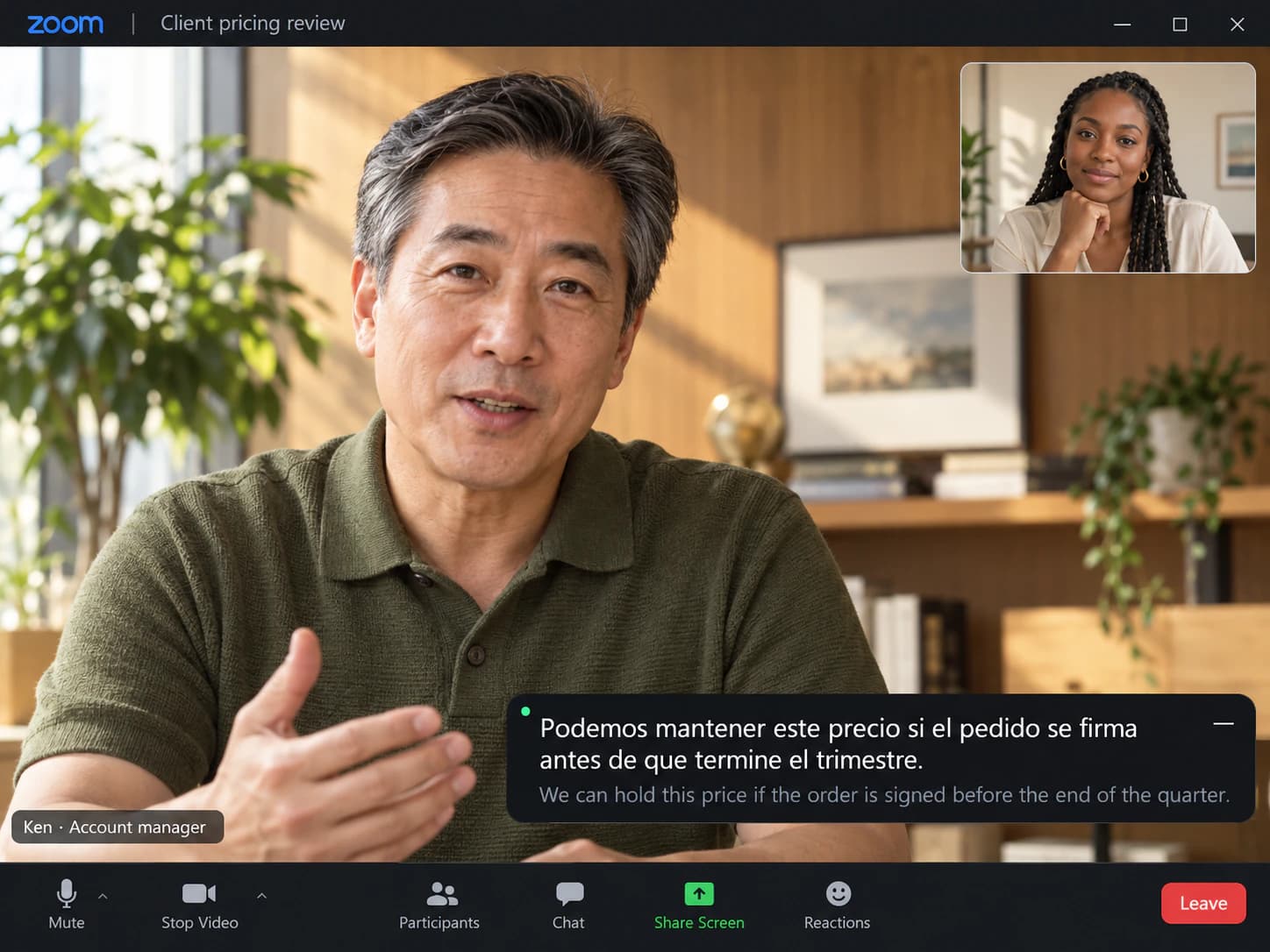
Client call with a fast talker
Prices, dates and conditions land in both languages, so nothing has to be repeated.
SonicMeet shows bilingual, real-time captions on your side of any Zoom meeting, in the Zoom desktop app or in Zoom on the web. You turn it on yourself. Nothing changes for the host or anyone else on the call.
Does Zoom translate captions? Only if the host's plan includes it or they buy the add-on, and it's switched on in their settings.
SonicMeet translates on your side instead. Pick the language you want to read and captions appear over the meeting in any of 60+ languages, with the original line right under the translation.
Free · Windows 10/11 · Works with the Zoom & Teams desktop apps
Free · macOS 14.2 or later · Apple Silicon & Intel
Free · Chrome & Edge · No download, no bot in your meeting
SonicMeet runs on desktop — open this page on your computer to install.
Joining from a browser instead? Get the extension →Joining from a browser instead? Get the extension →Also available as a Windows desktop app →Repasemos la hoja de ruta del tercer trimestre antes de la demo.
Let's walk through the Q3 roadmap before the demo.
El cliente quiere ver una demo de la nueva versión la próxima semana.▍
The client wants to see a demo of the new version next week.
We need the client's sign-off on this proposal by next Friday.
Necesitamos la aprobación del cliente para esta propuesta antes del próximo viernes.
No problem, I'll follow up with them this afternoon.▍
Sin problema, hago el seguimiento con ellos esta tarde.
Spanish, Chinese, Portuguese, Russian, Vietnamese, Arabic and 50+ other languages, either direction, live.
Four everyday situations, shown in the language pairs Zoom users pick most often.
Prices, dates and conditions land in both languages, so nothing has to be repeated.
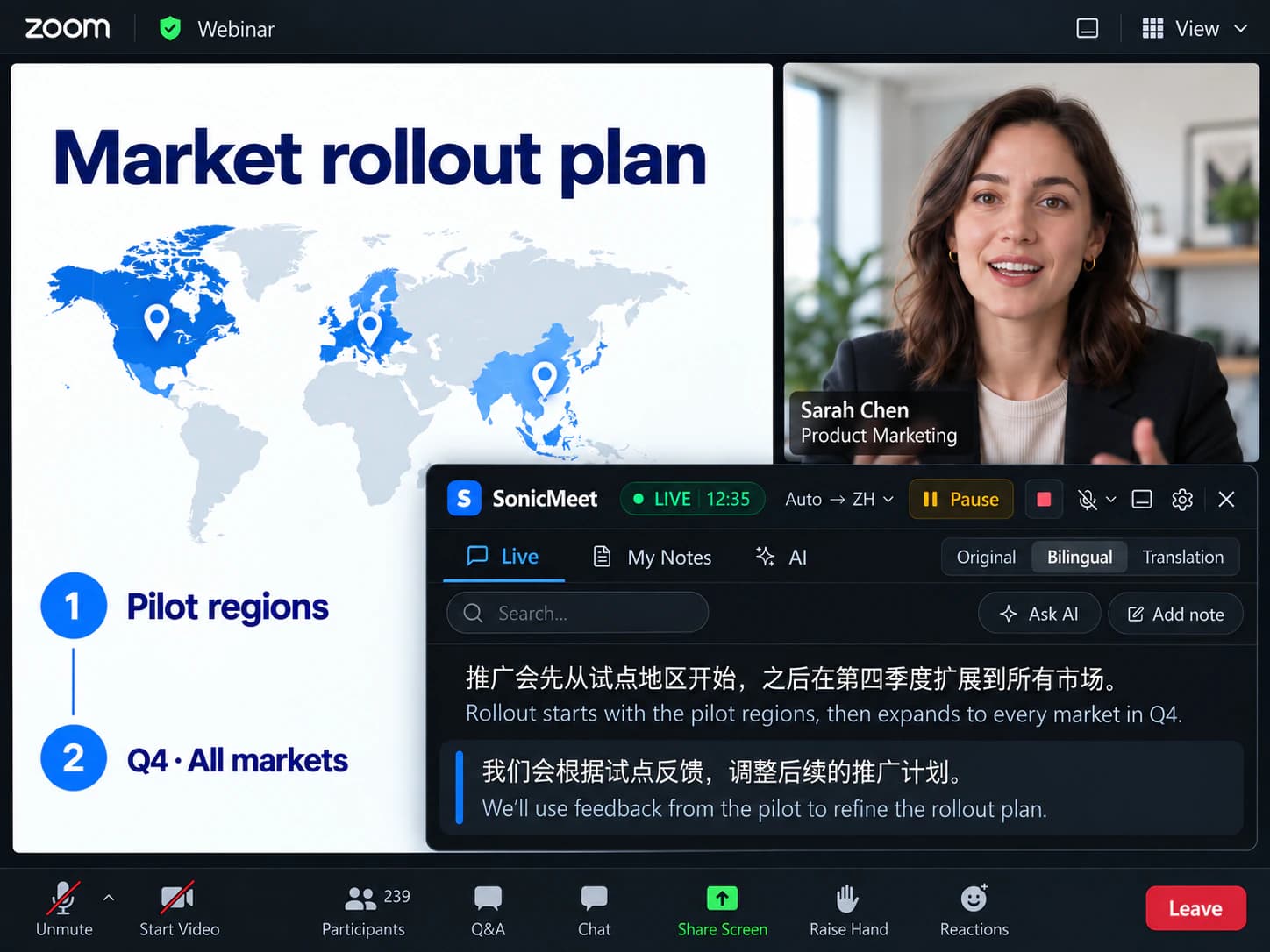
You are a view-only attendee and nobody will slow down for you. The captions do it instead.
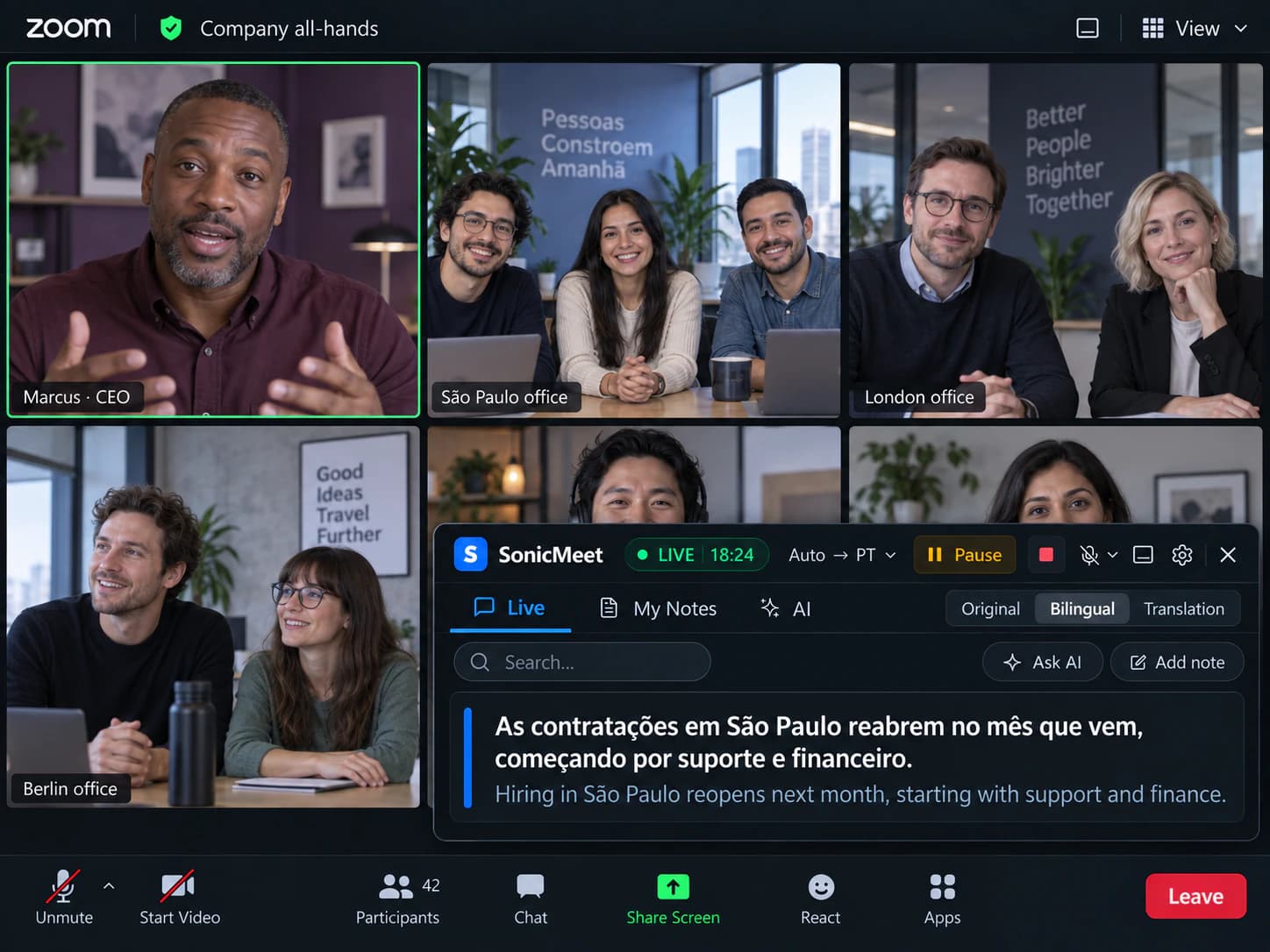
Everyone is on the call, and half the room is listening in a second language.
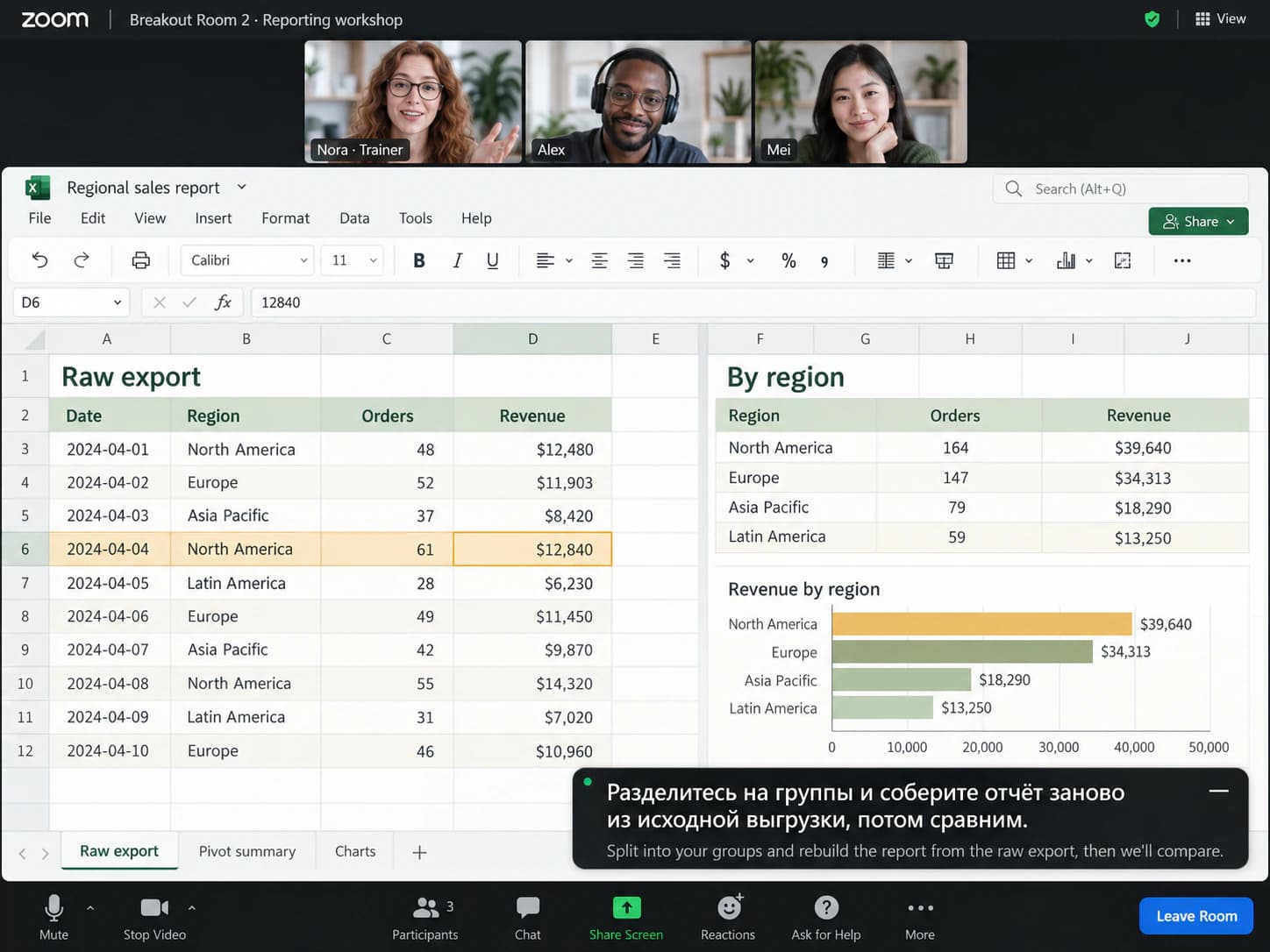
Captions follow you into the breakout room, and tap-to-save notes keep the instructions.
Sometimes. This is what Zoom gives you today, and where SonicMeet comes in.
| In your Zoom meeting | Zoom built in | SonicMeet |
|---|---|---|
| Captions in the spoken language | Yes, when the host's account allows captions | Yes, on your side, no host setting |
| Translated captions | Business Plus and Enterprise only, or a paid add-on; the host's setting must be on | Included, any of 60+ languages |
| Translation and original together | Translation only | Bilingual, original under each line |
| Translation as spoken audio | Yes, Voice Translator: five languages so far, with ZoomMate or the Live Translation add-on, desktop app 7.0 or later | Not yet. SonicMeet translates to text, not voice |
| Works when you are just an attendee | Depends on the host's plan and settings | Yes, you turn it on yourself |
| Speed vs. accuracy | One fixed mode | Instant or Accurate, switch mid-call |
| Transcript after the call | Captions are not saved; a transcript needs the host's paid plan with transcripts or recording on | Kept on your side, searchable |
Based on Zoom's published requirements for translated captions and live voice translation. · Last checked September 21, 2026
Captions in the spoken language
Translated captions
Translation and original together
Translation as spoken audio
Works when you are just an attendee
Speed vs. accuracy
Transcript after the call
Based on Zoom's published requirements for translated captions and live voice translation. · Last checked September 21, 2026
Zoom includes them on Business Plus and Enterprise and sells them as an add-on on other paid plans, and the host has to switch them on in their account settings. If the host's account is not set up that way, attendees cannot turn them on themselves. SonicMeet runs on your side, so it works in every meeting you join.
Zoom's Voice Translator speaks a translation aloud in five languages so far, with ZoomMate or the Live Translation add-on, in the desktop app 7.0 or later. SonicMeet is text: any of 60+ languages, bilingual, with the original line kept for the names and numbers that matter.
It depends on how you join, not on your Zoom plan.
SonicMeet for Windows or Mac captions the audio of the Zoom window. Keep the Zoom client you already have.
The extension overlays captions on the Zoom tab. Nothing to download; most invitations include a “Join from your browser” link.
Not sure which one you use? If Zoom opens in its own window, it is the desktop app.
About a minute, once.
The desktop app for the Zoom client, or the extension for Zoom in the browser. Sign in with Google; free to start.
Join as usual and open SonicMeet. Pick the language you read and start captions. Nothing to set up on the host side.
Translation above, original below. Tap any line to save it as a note.
Repasemos la hoja de ruta del tercer trimestre antes de la demo.
Let's walk through the Q3 roadmap before the demo.
El cliente quiere ver una demo de la nueva versión la próxima semana.▍
The client wants to see a demo of the new version next week.
Two translation modes, both on every plan, switchable mid-meeting from Settings in the caption area.
Translates as the words arrive, with sub-second delay, so you can answer in the flow of the conversation.
Best for: standups, fast client calls, everyday internal meetings.
Waits for the complete sentence and translates it with a stronger model that sees the surrounding conversation, so technical terms and names land right. Expect it to run roughly 1 to 5 seconds behind Instant.
Best for: webinars, vendor negotiations, technical training, anything full of domain terms.
Per-language guides: what works as the spoken language, what works as the translation, and what does not yet.
Yes, but it depends on the host. Translated captions come with Business Plus and Enterprise plans and are sold as an add-on on Pro and Business; the host also has to switch them on in their account settings, after which attendees pick their own language. SonicMeet gives you translated captions from your own side without any of that, in the desktop app or in the browser.
Zoom's Voice Translator speaks the translation aloud in five languages so far: English, Chinese, Spanish, French and Japanese, with more planned. It needs ZoomMate or the Live Translation add-on on a paid plan, and the desktop app 7.0 or later. SonicMeet is text in any of 60+ languages, with the original line under each translation, tap-to-save notes and a transcript, so numbers, names and decisions are still there after the call.
No. SonicMeet captions the meeting audio from your side, so it does not depend on the host's plan, captions or settings. Join as an attendee and turn it on yourself.
Both. SonicMeet for Windows and Mac captions the audio of the Zoom window, so you keep the Zoom client you already use. If you join from Chrome or Edge through Zoom's “Join from your browser” link, the extension does the same job in the tab.
Yes. SonicMeet captions whatever you can hear on your computer, so it works when you are a view-only webinar attendee and it follows you between breakout rooms. The one case it cannot cover is dialing in by phone, because no audio reaches your computer.
No. SonicMeet is not a Zoom app and not a bot. It does not use Zoom's recording or transcription, so nothing appears in the participant list and no notice goes to anyone. Captions render on your screen only, and we don't keep an audio recording.
No. SonicMeet transcribes the meeting audio itself, so Zoom's captions can stay off, or on if you prefer. It does not read or depend on them.
SonicMeet has two translation modes and you choose per meeting; Zoom's translated captions offer a single fixed one. Instant translates as the words arrive with sub-second delay. Accurate waits for the complete sentence and translates it with a stronger model and far more surrounding context, which makes a visible difference on technical terms, product names and natural phrasing, roughly 1 to 5 seconds behind Instant. Switch from Settings in the caption area at any time.
Often, yes. Zoom's translated captions show the translation only. SonicMeet keeps the original line under it, lets you tap any line to save a note, keeps a searchable transcript on your side, and has an Accurate mode for the calls where wording matters. It also works in meetings other companies host, where the add-on is not switched on.
Yes to start. Install SonicMeet, sign in with Google, and the Free plan gives you 20 minutes a month of captions with both translation modes. Paid plans add hours. There is no Zoom license or translated-captions add-on to buy.
Same captions, same notes, on the other apps your team lives in.
Free to install, about a minute to set up, and nobody else on the call has to do anything.
