Share live captions with a link
Send a link or show a QR code, and anyone can read your captions live on a phone or computer, in the languages you offer. They don't need SonicMeet or an account.
Start sharing
- 1Start captions, then click Share captions
It's in the top bar of the caption panel while captions are running. In a narrow panel the button shrinks to an icon; hover over it to see its name.
- 2Choose what viewers can read
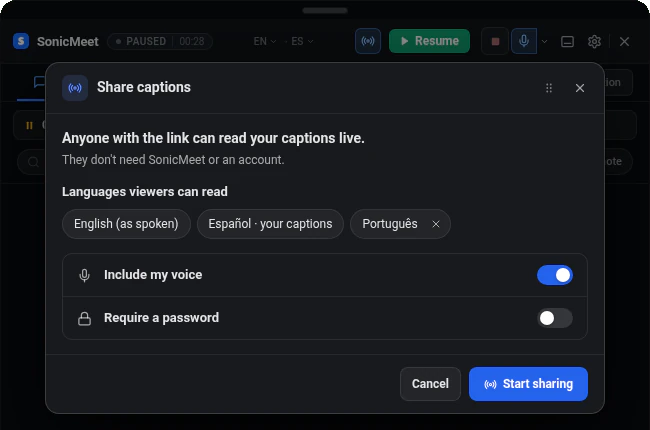
Under Languages viewers can read, your own caption language and Original (as spoken) are already listed. Add language offers more; see the languages section below.
- 3Decide on your voice and a password
Turn on Include my voice if what you say should be captioned too; it uses your microphone. Require a password gives you a 6-digit code to send along with the link.
- 4Click Start sharing and send the link
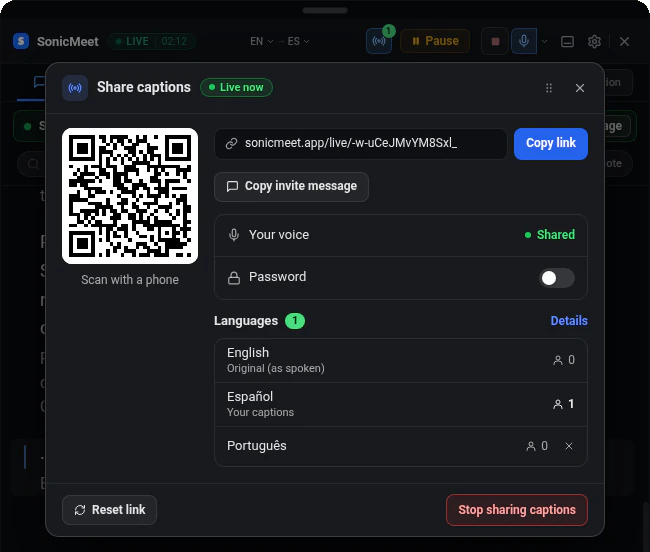
You get a link and a QR code. Copy link copies the link; Copy invite message copies a short message with the link, the languages and the password. People in the same room can scan the QR code instead.
- 1Start captions, then click Share captions
It's in the live bar at the top of the main window. The sharing options open in the side panel.
- 2Choose what viewers can read
Under Languages viewers can read, your own caption language and Original (as spoken) are already listed. Add language offers more; see the languages section below.
- 3Decide on your voice and a password
Turn on Include my voice if what you say should be captioned too; it uses your microphone. Require a password gives you a 6-digit code to send along with the link.
- 4Click Start sharing and send the link
You get a link and a QR code. Copy link copies the link; Copy invite message copies a short message with the link, the languages and the password. People in the same room can scan the QR code instead.
What viewers see
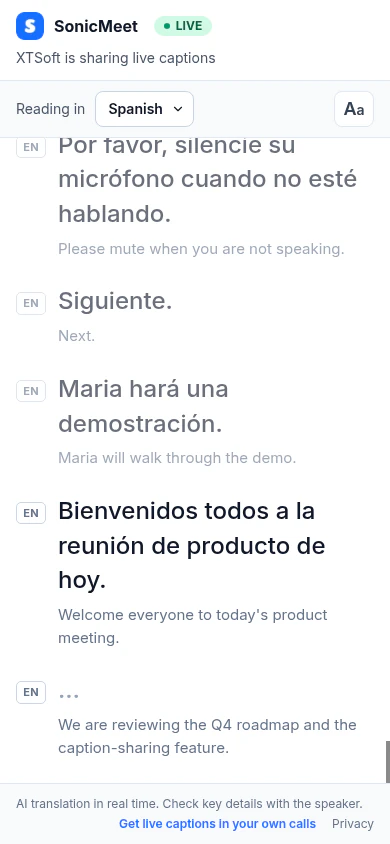
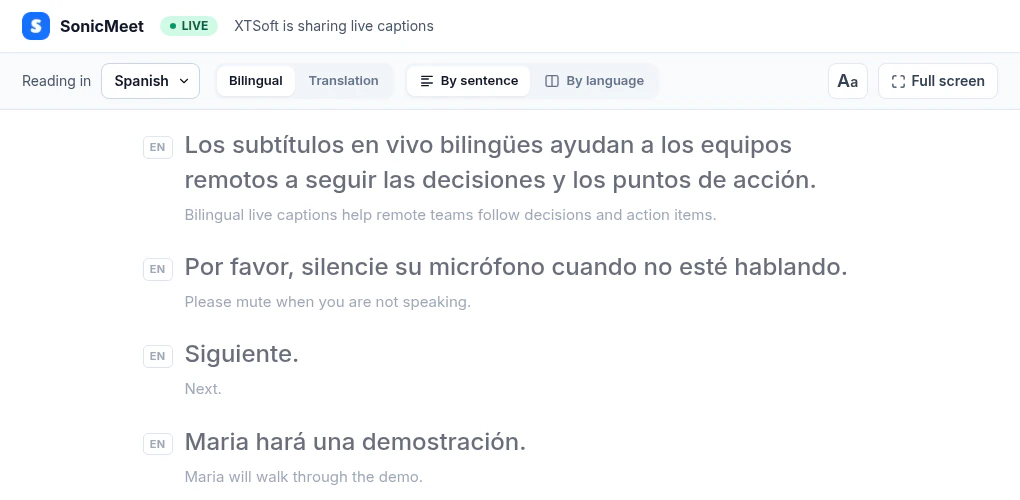
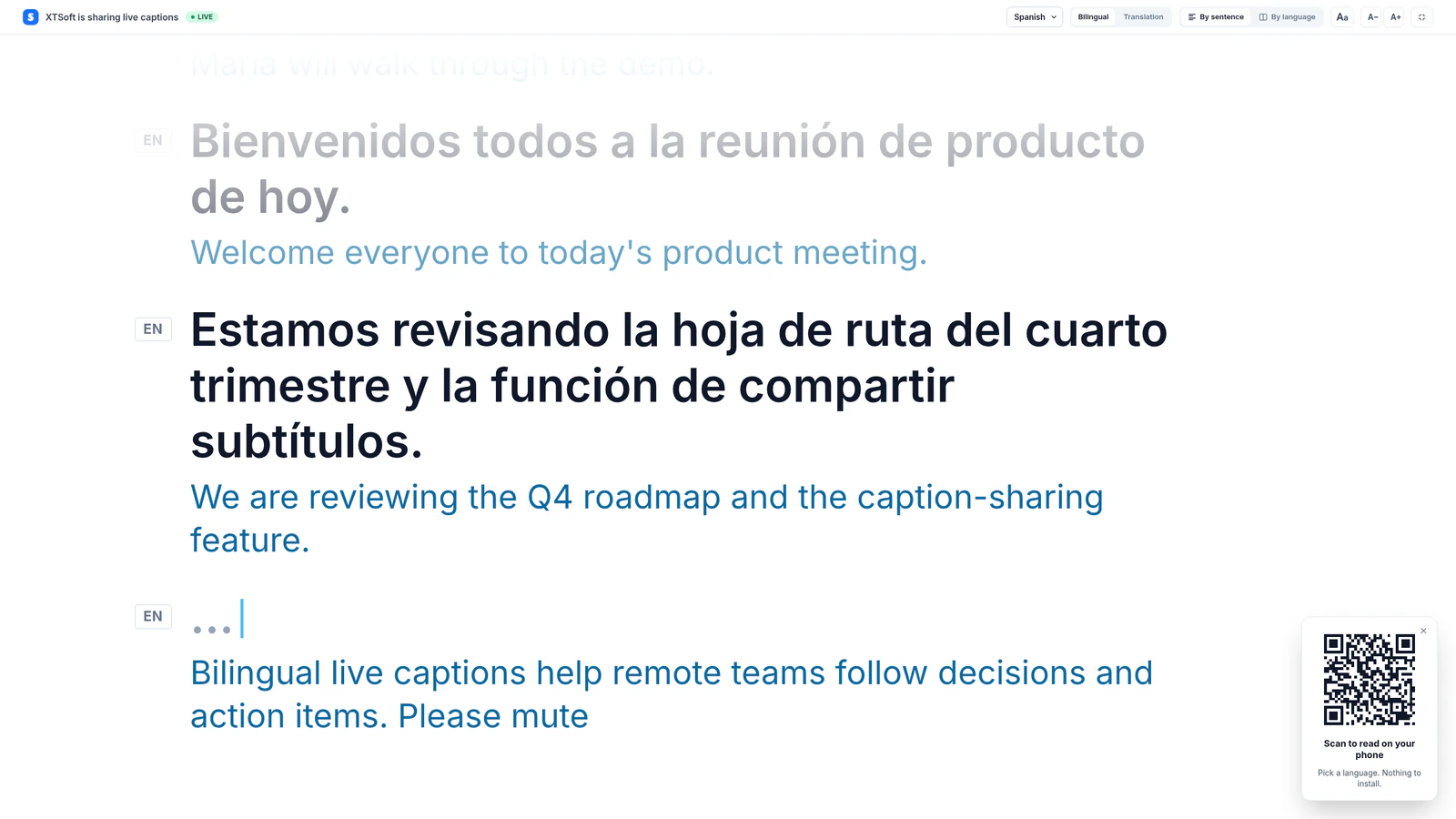
Viewers open the link in a browser, choose one of your languages and read along, starting from the most recent lines. They can change the text size, switch between light and dark, show both languages or the translation only, and go full screen. Up to 100 people can follow one link at the same time. Need more? Contact us.
Include your own voice
Viewers get captions of the same audio you do: the meeting audio and, only when it's on, your microphone. With the microphone off, viewers see what the others say but not what you say. While you're sharing, Turn on mic in the sharing options turns it on.
Choose the languages
- Your own caption language and Original (as spoken), what people actually said, are always offered.
- You can add more languages for viewers: 1 on the Free plan, up to 3 on paid plans.
- Viewers choose from the languages you offer. Anyone whose language isn't offered sees another one for now and switches automatically once you add theirs.
- If you remove a language people are reading, they move to another one you offer.
- If your own captions are transcription only (translation off), viewers read the original unless you add languages.
How sharing uses minutes
Sharing doesn't use extra minutes by itself: your captions use 1 minute per minute, as always. Whether anything extra is used depends only on how many of the languages you add are being read at the same time. In the examples, the meeting is in English and your captions are in Spanish.
| What viewers can read | Minutes per minute |
|---|---|
| The original + your caption language | 1, nothing extra. Example: English + Spanish. |
| The original + your caption language + 1 added language | 1, nothing extra. Example: you add Portuguese. |
| The original + your caption language + 2 added languages, but nobody is reading one of them | 1, nothing extra. Example: you add Portuguese and French, and nobody is reading French. |
| The original + your caption language + 2 added languages, both being read | 2, 1× extra. Example: someone is reading Portuguese and someone is reading French. |
| Each further added language that someone is reading | 1× more for each. Example: someone is also reading German: 3. |
- SonicMeet tells you before anything extra can be used: when you add a language that may cost extra, it's marked +1×, meaning 1 extra minute for every minute someone reads it. What's actually used depends on who is reading: if nobody reads that language, nothing extra is used, and if only one of your added languages is being read, nothing extra is used even when it's the one marked +1×. While you share, the sharing options show the current rate and which languages it's for, and the sharing bar shows the rate whenever it's above 1×.
- It changes as people come and go: when the last person reading French leaves, you're back to 1× from that moment. It doesn't matter which language you added first.
- On the Free plan you can add one language, so sharing never uses extra minutes.
- Pausing stops all of it. While captions are paused, SonicMeet shows No minutes are being used, and viewers wait on the same link.
- If your minutes run out, captions pause for you and everyone reading. Click Add hours (or upgrade on the Free plan), then resume within 10 minutes to continue on the same link. After 10 minutes the link ends.
Manage or stop sharing
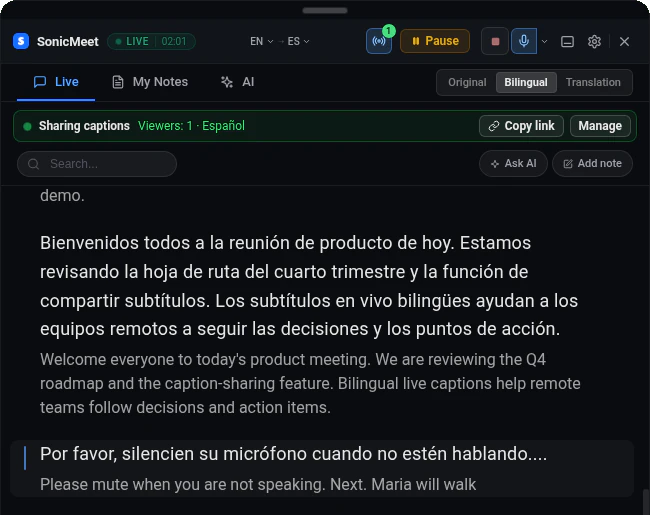
- While you share, a Sharing captions bar above your captions shows how many people are watching. Copy link copies the link again, and Manage opens the sharing options.
- You can turn on Require a password or change the password at any time. People who are already watching keep watching.
- Reset link turns off the current link and gives you a new one. Everyone on the old link is disconnected, so send the new link to the people who should stay.
- Pause keeps the link. Viewers wait on the same page, and captions continue when you resume.
- Stop sharing captions, or stopping captions, ends sharing for everyone. The link then shows that the session has ended.
Common questions
Do viewers need SonicMeet or an account?
No. They open the link in a browser on a phone or computer. There's nothing to install and no sign-in.
How many people can follow one link?
Up to 100 at the same time. That's the limit we've set while sharing is new. If you need more, contact us and we'll raise it for you quickly.
Who can open the link?
Anyone who has it, so send it only to the people in your meeting. Turn on a password for extra protection, and reset the link if it reaches the wrong people. Shared caption pages aren't listed in search engines.
Does sharing captions cost extra minutes?
Not by itself. The original, your caption language and one added language never cost extra, and neither does a second added language that nobody is reading. Only while two added languages are both being read do you use 1× extra (2 minutes per minute), and each further added language someone is reading adds another 1×. SonicMeet marks languages that may cost extra when you add them and shows the current rate while you share. For example, with an English meeting, Spanish captions and Portuguese added, an hour of captions still uses 60 minutes.